Voicebank Installation Guide
Which version of OpenUtau are you using?
Select your editor to get the right installation steps.
Step 2: Download OpenUtau PRINTmov Edition
OpenUtau PRINTmov Edition comes with built-in support for PRINTmov voicebanks, including the PRINTmov Phonemizers plugin pre-installed.
Download and install the editor for your operating system.
Download or View on GitHubStep 3: Install from the Editor
With OpenUtau PRINTmov Edition, voicebanks can be installed directly inside the editor, no manual download needed.
- Open OpenUtau PRINTmov Edition.
- Go to Tools → Install Singers from Repository....
- Click Install for the desire singer.
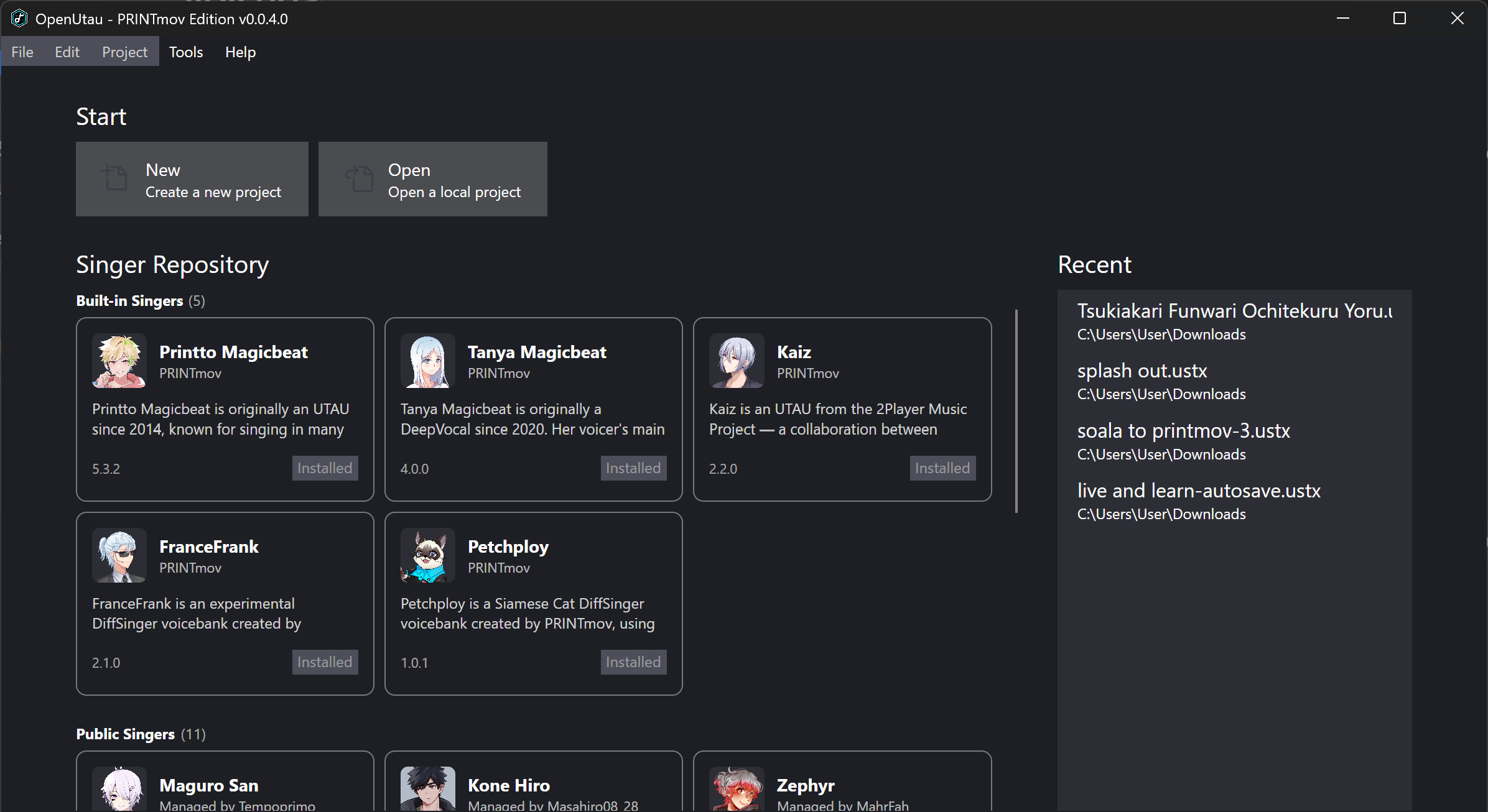
Alternatively, you can download the .zip and drag it directly into OpenUtau to install manually.
Step 2: Download PRINTmov Phonemizers plugin.
PRINTmov phonemizers for three languages; Thai, Indonesian, Filipino in OpenUTAU.
To enable PRINTmov voicebanks to support three languages—Thai, Indonesian, and Filipino—the PRINTmov Phonemizers Plugin is required.
For other languages, such as French, additional phonemizers like the Millefeuille XLS plugin may be necessary.
Forked from DIFFS TH Plugin by @tigermeat_
Download or View on GitHubStep 3: Install PRINTmov Phonemizers plugin
Drag the downloaded PRINTmovPhonemizers.dll into OpenUTAU and install.

Step 4: Download and Install
Download the voice library then drag the downloaded .zip file into OpenUTAU to install.
Download